 New Tab ist
Todoist new tab for Chrome
Updated 24 September 2026 · by the New Tab ist team
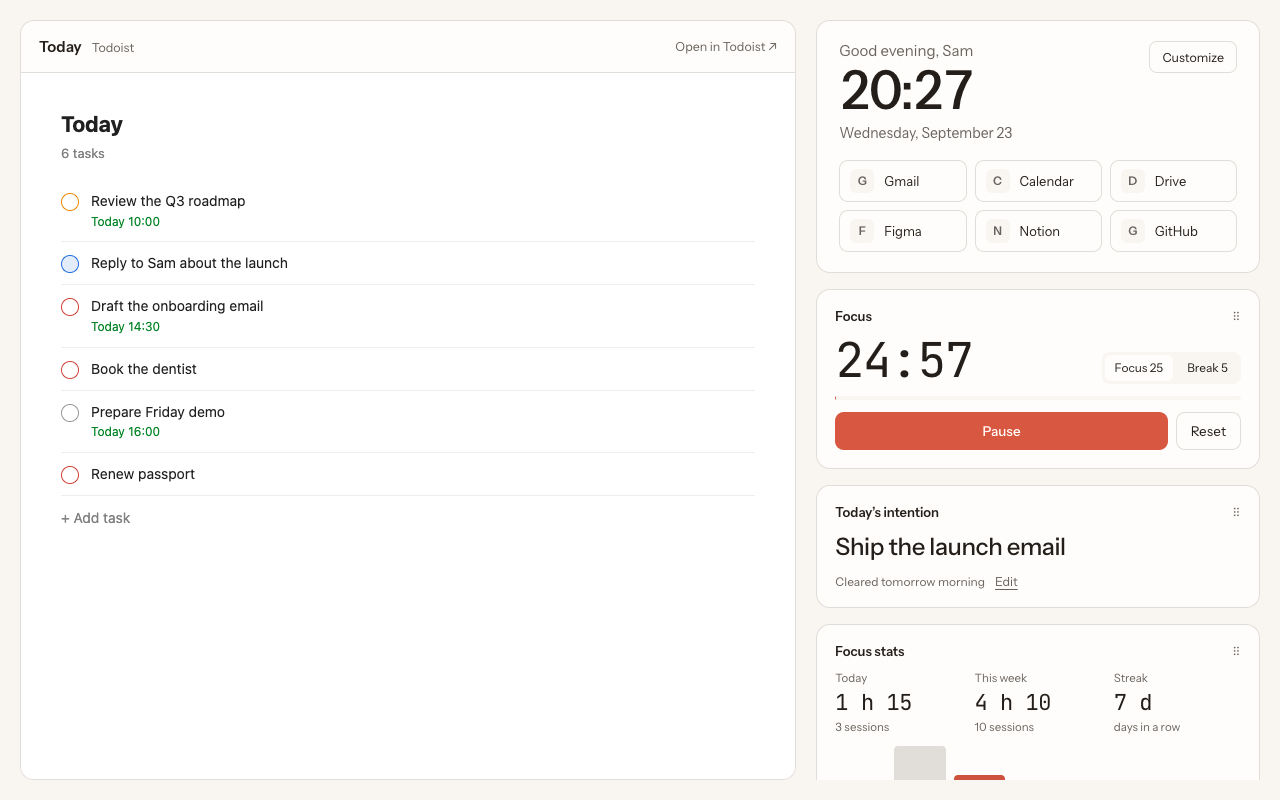
New Tab ist is a Chrome extension that turns every new tab into your Todoist dashboard. Press Ctrl + T and your Today list is there, live, next to a clock, your shortcuts and a focus timer. You check off and add tasks right in the tab, and every change is saved to Todoist instantly.
Why put Todoist in the new tab?
A to-do list only works if you look at it. Most of us open a new tab dozens of times a day, usually to start something: a search, an email, a document. That is exactly the moment to see what you meant to do today. With your Todoist list in the new tab, you stop forgetting tasks between two meetings, and you stop keeping a Todoist tab open "just in case".
What you get in every new tab
Your real Todoist, not a copy
The left of the tab is the Todoist web app itself, so everything you know from Todoist works: quick add with natural dates, labels, priorities, projects, sub-tasks and drag-and-drop. Choose which view opens by default: Today, Inbox or Upcoming. There is no sync to wait for and nothing to configure: sign in to Todoist once and you are done.
A clock and your shortcuts
A large clock with the date and a greeting, and shortcuts to the sites you open all day, such as Gmail, your calendar or your team's tools.
A focus timer with stats
Start a 25-minute focus session from the tab, then a 5-minute break (both lengths are adjustable). The timer keeps running when you close the tab and a notification tells you when it ends. Your daily focus time, weekly total and streak are counted for you. More on the Todoist Pomodoro timer.
Widgets you arrange
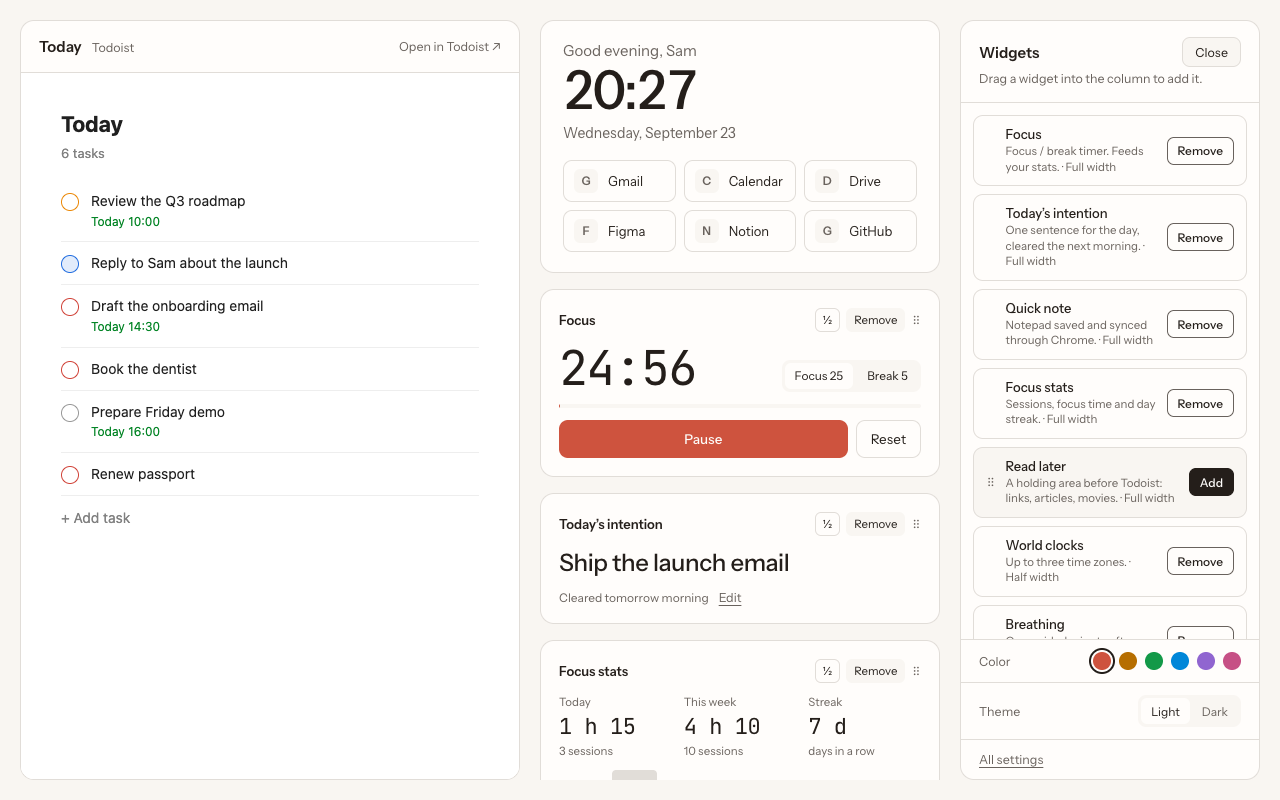
- Today's intention: one sentence for the day, cleared the next morning.
- Quick note: a notepad saved and synced with your Chrome profile.
- Focus stats: sessions, focus time and your streak, with a bar per day of the week.
- Read later: park links before they become Todoist tasks, then send them to Todoist in one click.
- World clocks: up to three time zones, handy for remote teams.
- Breathing: a one-minute breathing exercise, suggested after a focus session if you like.
Your look
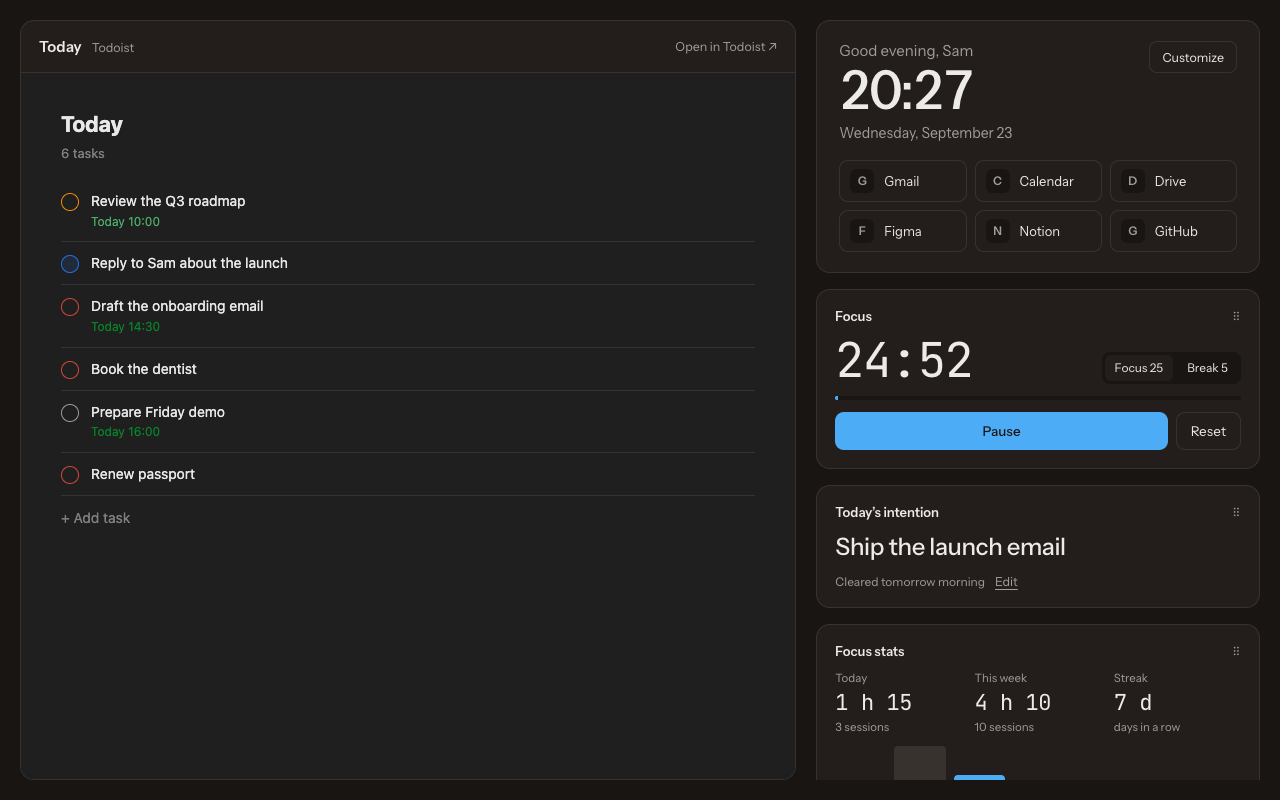
Light, dark or system theme, six accent colors, Todoist on the left or on the right, and an option to hide the Todoist sidebar for a cleaner list.
How to set it up
- Pick a plan on the pricing section: monthly or lifetime access. You receive your license code by email.
- Install the extension in Chrome, following the link in the email.
- Open a new tab, enter your code, and sign in to Todoist. Your tasks appear right away.
The whole thing takes about two minutes. The detailed walkthrough is in how to show Todoist in every Chrome new tab.
Private by design
You sign in directly on todoist.com, in the Todoist page itself. New Tab ist never sees your password, never reads or copies your tasks, and sends them nowhere. The extension has no ads, no analytics and no tracking. Your settings and widget content stay in your browser, synced by Chrome if you use Chrome sync. Only your license code is checked with our server. Details are in the privacy policy.
Pricing
Two plans with the same features: €3.99 a month, cancel anytime, or €39.99 once for lifetime access with every future update. One license works on up to 3 Chrome browsers, for example your work and personal computers.
Questions
Do I need Todoist Pro?
No. New Tab ist works with free and paid Todoist accounts.
Can I choose which Todoist view opens?
Yes: Today, Inbox or Upcoming. You can switch at any time in the settings.
Will my tasks sync with the Todoist app on my phone?
Yes. The tab shows the real Todoist web app, so every change is saved to your Todoist account and appears on all your devices.
Does it replace the official Todoist for Chrome extension?
No, they complement each other. The official extension is a toolbar pop-up for capturing tasks and pages; New Tab ist shows your list in every new tab. See the full comparison.
Can I go back to the normal Chrome new tab?
Yes. Disable or remove the extension in chrome://extensions and Chrome shows its usual new tab again.
How many computers can I use it on?
One license works on up to 3 Chrome browsers. If you change computers, contact support and we reset your activations.
More guides
New Tab ist is an independent extension. It is not made, endorsed or supported by Doist, the company behind Todoist. Todoist is a trademark of Doist, used here only to describe what the extension works with.