 New Tab ist
Todoist widgets: phone, Mac, Windows and Chrome
Updated 24 September 2026 · by the New Tab ist team
Todoist offers home-screen widgets on iPhone and Android, but there is no Todoist widget for the Chrome browser. The closest equivalent in Chrome is a new tab extension: with New Tab ist, your Todoist list, with widgets such as a focus timer, a note and focus stats, appears every time you open a tab. Here is what exists on each platform.
On your phone
The Todoist apps for iPhone and Android include home-screen widgets that show a list (such as Today or a project) and let you add a task. On iPhone, add one by long-pressing the home screen, tapping + and searching for Todoist. On Android, long-press the home screen and pick Widgets.
On Mac and Windows
The Todoist desktop apps for Mac and Windows have a global quick-add shortcut, so you can add a task from anywhere without switching windows. To keep your list visible, many people give the desktop app a narrow window on the side of the screen. Check Todoist's help center for the widgets currently available on each system, as they evolve with new OS versions.
In Chrome
Chrome has no desktop widgets, and the official Todoist for Chrome extension is a pop-up that closes when you click elsewhere. To keep Todoist in view while you browse, you have three options:
- A new tab extension such as New Tab ist: Todoist in every new tab, next to a clock and widgets.
- A pinned tab: one click away, but out of sight.
- An app window placed next to Chrome: visible, but it takes screen space all the time.
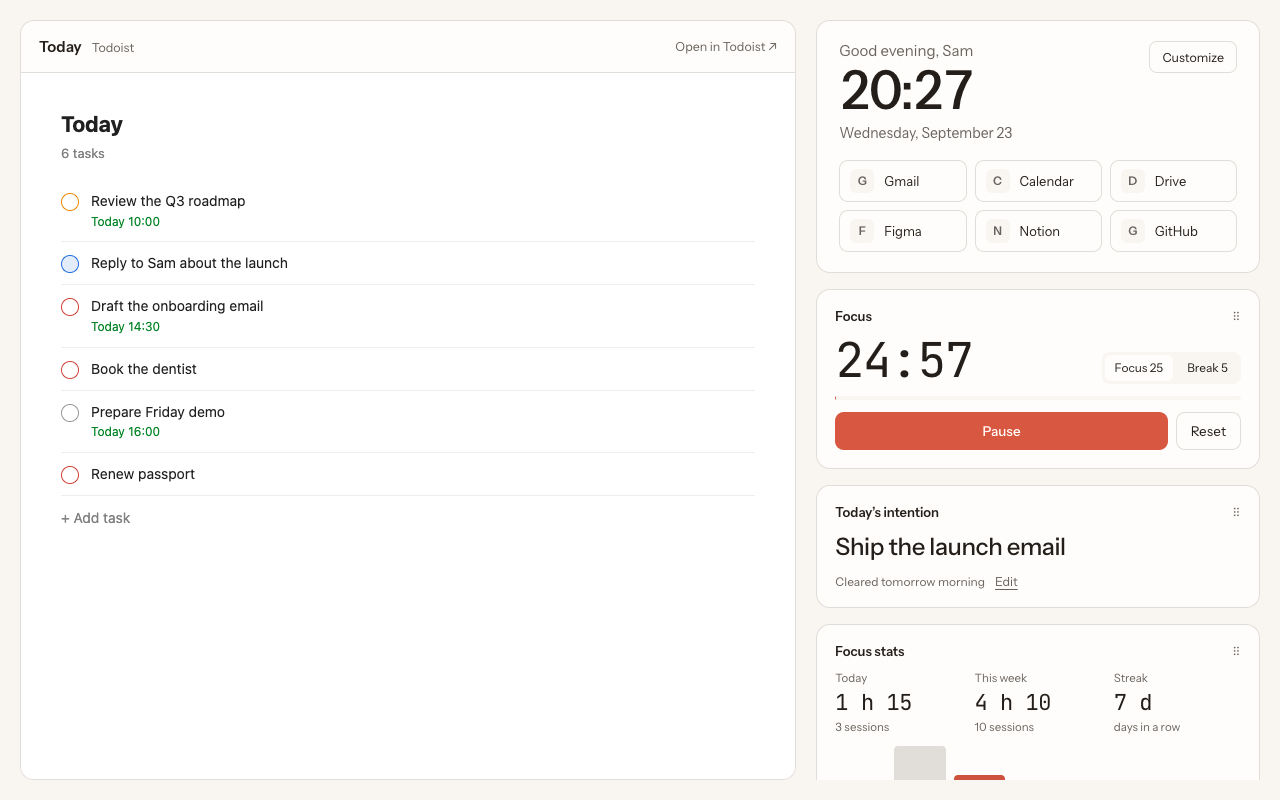
The widgets in New Tab ist
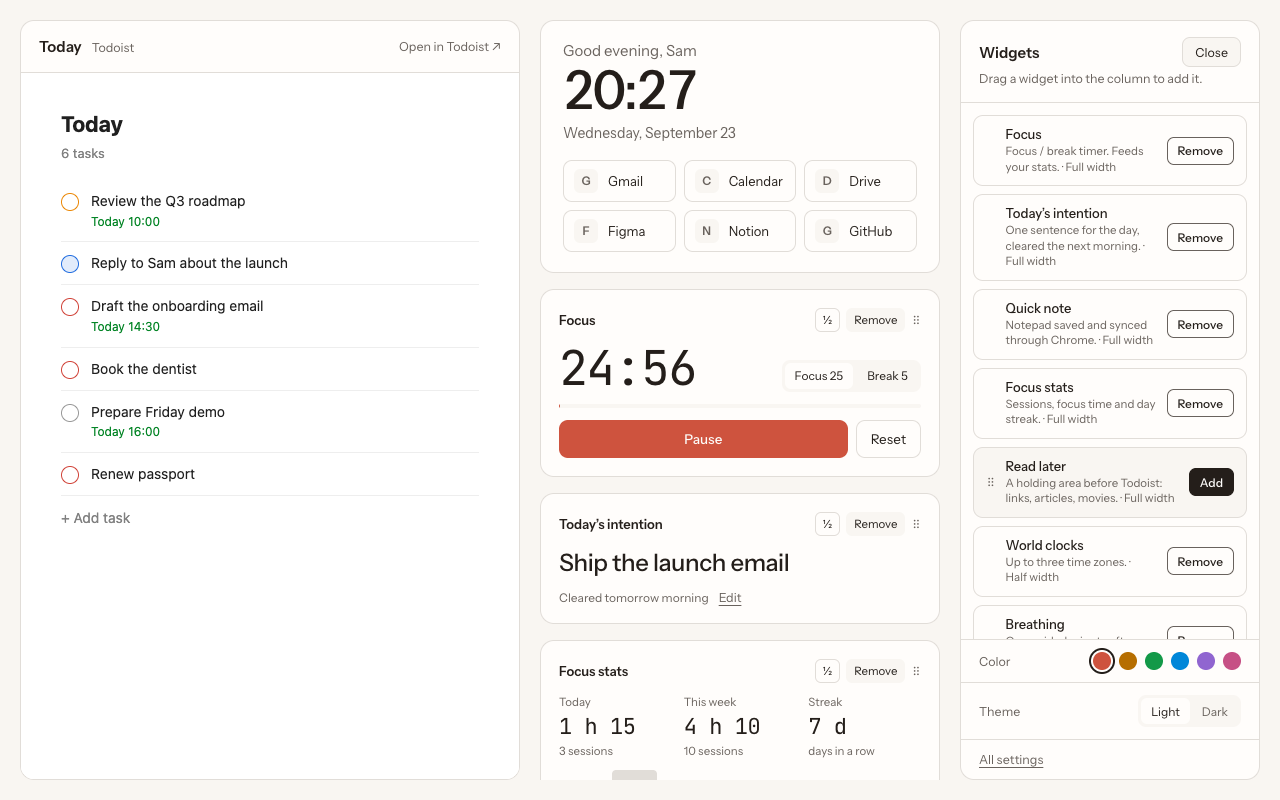
- Focus: a Pomodoro-style timer that keeps running in the background.
- Today's intention: one sentence for the day, cleared the next morning.
- Quick note: a notepad synced with your Chrome profile.
- Focus stats: today, this week and your streak.
- Read later: links to deal with later, sent to Todoist in one click.
- World clocks: up to three time zones.
- Breathing: a one-minute breathing exercise.
Widgets can be added, reordered, made half or full width, and removed. Your layout syncs with your Chrome profile.
Questions
Is there a Todoist widget for Chrome?
Not from Todoist. The official extension is a toolbar pop-up. A new tab extension such as New Tab ist is the closest thing: your list and widgets in every new tab.
Is there a Todoist widget for Windows?
Windows has no Todoist desktop widget from Doist that we know of. The Todoist desktop app, with its quick-add shortcut, and a Chrome new tab extension are the usual alternatives.
Can I add tasks from the widget?
On phones, yes. In New Tab ist, you add tasks directly in the Todoist list shown in the tab.
More guides
New Tab ist is an independent extension. It is not made, endorsed or supported by Doist, the company behind Todoist. Todoist is a trademark of Doist, used here only to describe what the extension works with.