 New Tab ist
Todoist New Tab alternatives compared
Updated 24 September 2026 · by Alex Carter
"Todoist New Tab" is the name of a small free extension that loads Todoist in Chrome's new tab; third-party listings show it at version 0.1, last updated in 2019. If you are looking for an alternative, there are five ways to see Todoist every time you open Chrome: New Tab ist (Todoist plus a focus timer and widgets), Momentum Plus (a photo dashboard with Todoist sync), a Todoist startup page, a pinned tab, and the Todoist desktop app. Here is how they compare.
Why look for an alternative
Extensions that are not maintained tend to break: Google phased out extensions built on the older Manifest V2 format in 2024 and 2025, and Todoist itself changes regularly. If an old new tab extension shows a blank page, a sign-in loop or nothing at all, it is time to switch. Check the "Updated" date on an extension's Chrome Web Store page before installing it.
The five options
1. New Tab ist: Todoist, a focus timer and widgets
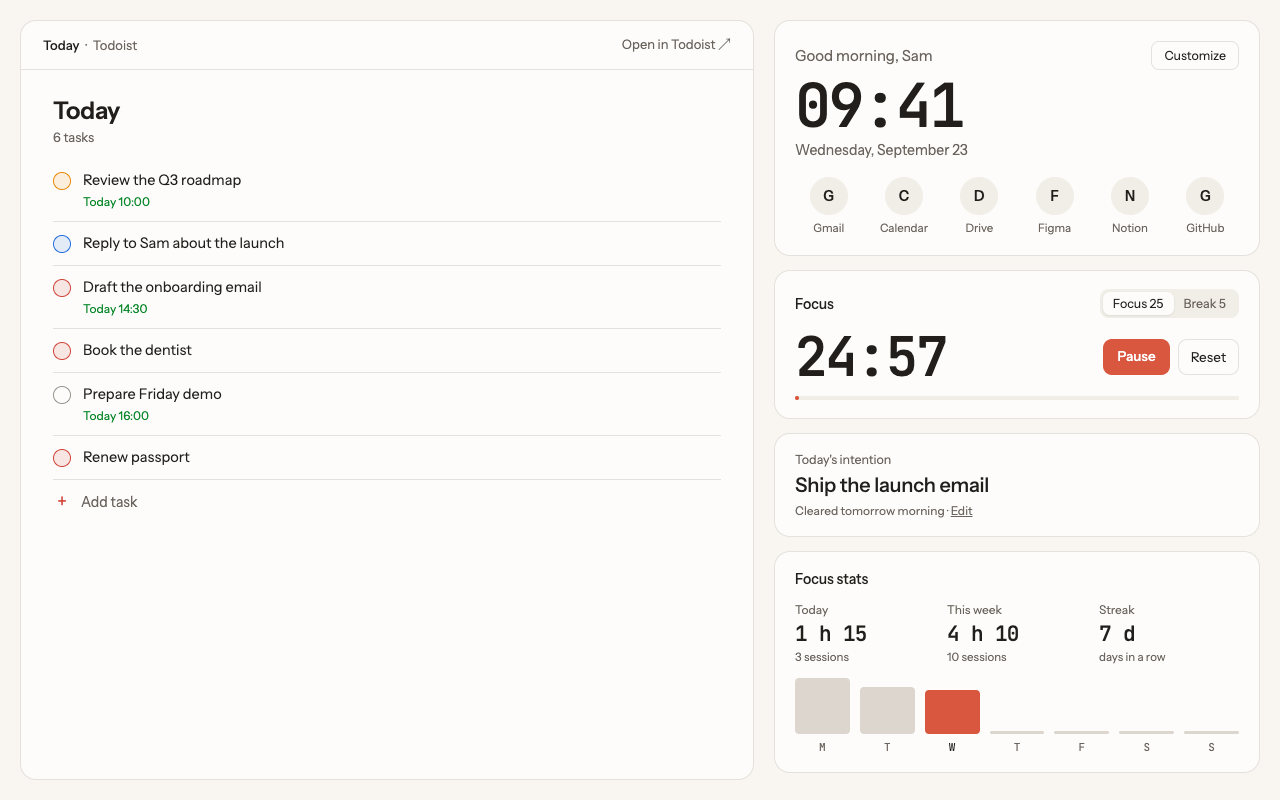
New Tab ist opens the real Todoist web app in every new tab, next to a clock, shortcuts, a focus timer and optional widgets. Everything works as on todoist.com: projects, filters, labels, sub-tasks. It is actively maintained, with light and dark themes and a layout you arrange.
- Best for: keeping your list in view and working in focus sessions.
- Price: $3.99 a month, $29.99 a year or $49.99 once, with a 14-day money-back guarantee.
2. Momentum Plus: a photo dashboard with Todoist sync
Momentum shows a daily photo, a greeting and a focus of the day. Its paid Plus plan (listed at $39.95 a year) syncs Todoist tasks into its own to-do panel, and also connects to other task managers. Details in Momentum vs New Tab ist.
- Best for: people who want photos and several task managers in one place.
- Limits: tasks appear in Momentum's panel, not in the full Todoist interface.
3. Todoist as a startup page (free)
Chrome cannot open a website in the new tab without an extension, but it can open one when it starts. Go to Settings › On startup › Open a specific page or set of pages and add https://app.todoist.com/app/today. You see Todoist once per session, not in every tab.
4. A pinned Todoist tab (free)
Open Todoist, right-click the tab and choose Pin. It stays on the left of your tab bar, one click away, but out of sight.
5. The Todoist desktop app (free)
The Mac and Windows apps have a global quick-add shortcut and can sit in a narrow window next to Chrome. Visible all the time, at the cost of screen space.
Comparison table
| New Tab ist | Momentum Plus | Startup page | Pinned tab | Desktop app | |
|---|---|---|---|---|---|
| Todoist in every new tab | Yes | Tasks in its panel | No, at startup only | No | No |
| Full Todoist interface | Yes | No | Yes | Yes | Yes |
| Focus timer | Yes, with stats | Yes | No | No | No |
| Widgets | 7 | Many | No | No | No |
| Price | $3.99 / month, $29.99 / year or $49.99 once | $39.95 / year | Free | Free | Free |
What about Bonjourr and Tabliss?
Bonjourr and Tabliss are well-liked free, open-source new tab pages with clocks, backgrounds and their own simple to-do lists. At the time of writing, neither lists a Todoist integration, so your Todoist tasks would not appear there. They are a good choice if you do not need Todoist in the tab.
Questions
Is there a free Todoist new tab extension?
There are small free extensions, but check when they were last updated: unmaintained ones often stop working. Free alternatives without an extension are a Todoist startup page or a pinned tab.
Can I set Todoist as my new tab page without an extension?
No. Chrome only lets extensions change the new tab page. You can set Todoist as a startup page instead.
Can I use two new tab extensions at once?
No. Only one extension can control the new tab page at a time.
More guides
New Tab ist is an independent extension. It is not made, endorsed or supported by Doist, the company behind Todoist. Todoist is a trademark of Doist, used here only to describe what the extension works with.